Free, no registration, v1.5.0
Session operations starter pack
Before arranging methods, organise timing, roles, and output handovers around the purpose. Use a 90-minute example to create an operations sheet for your session.
Check the guide and worksheets
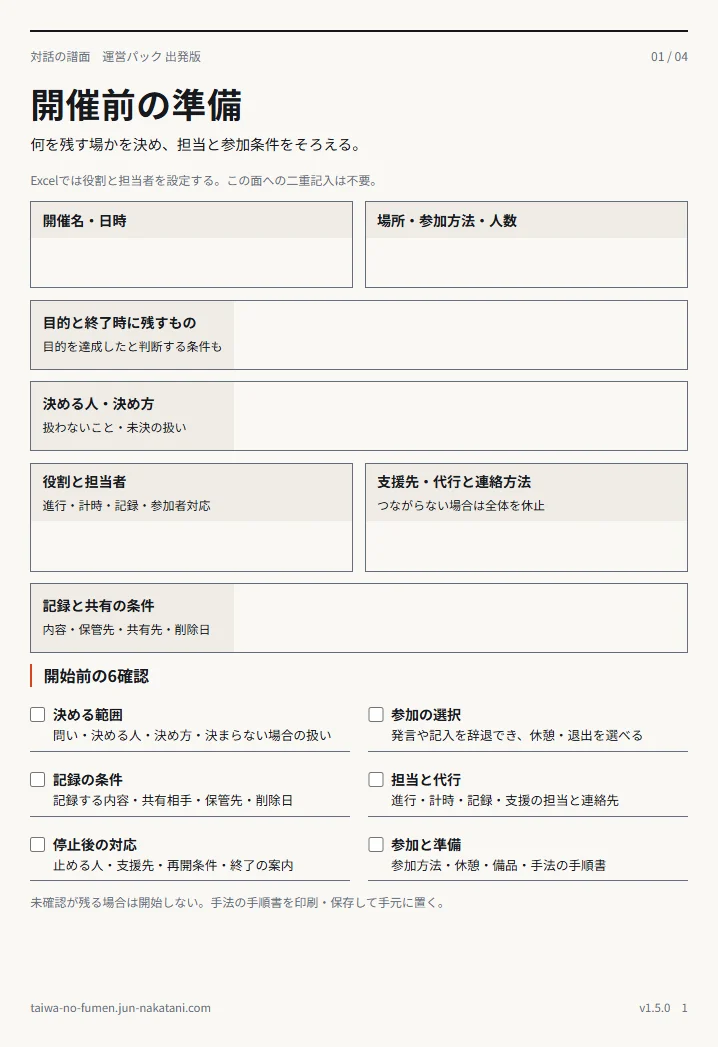
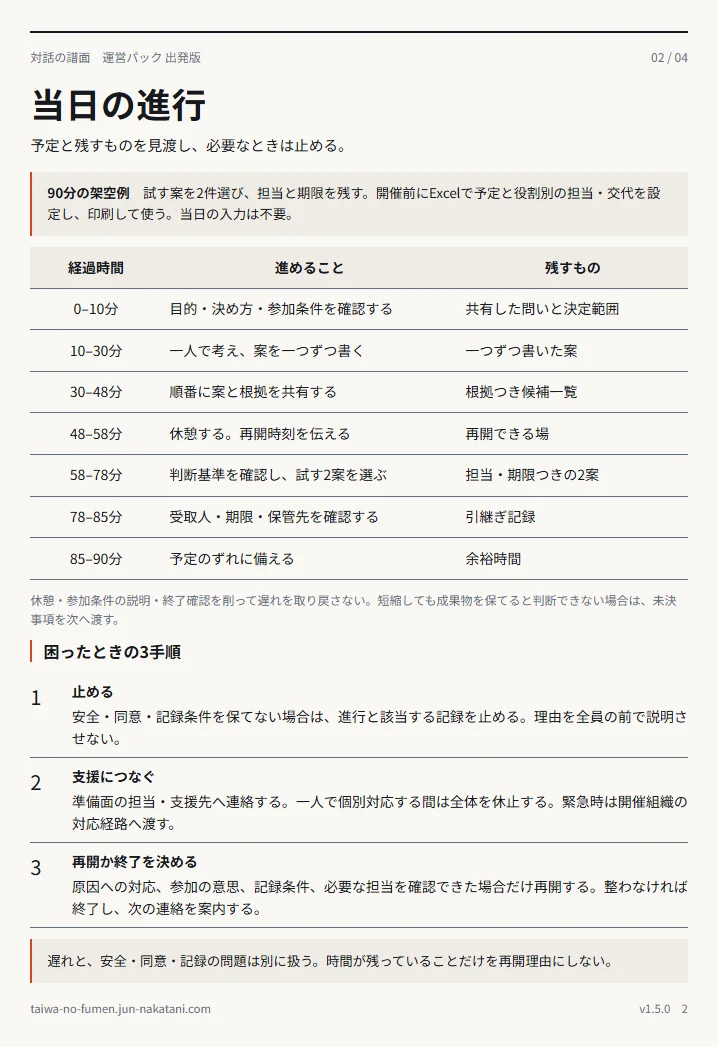
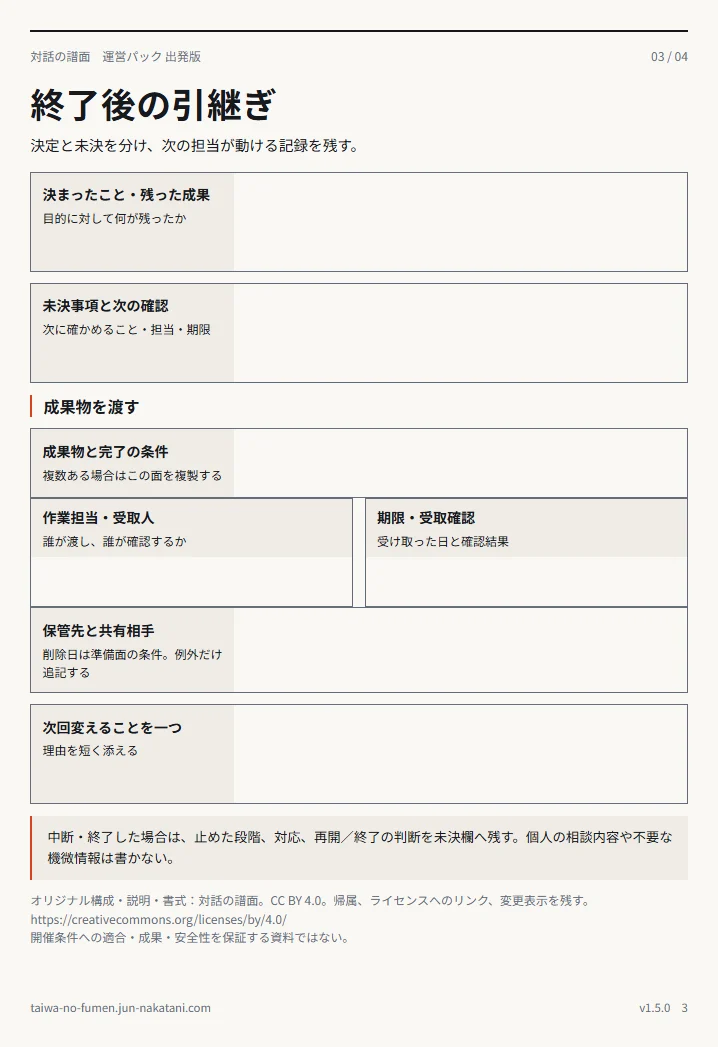
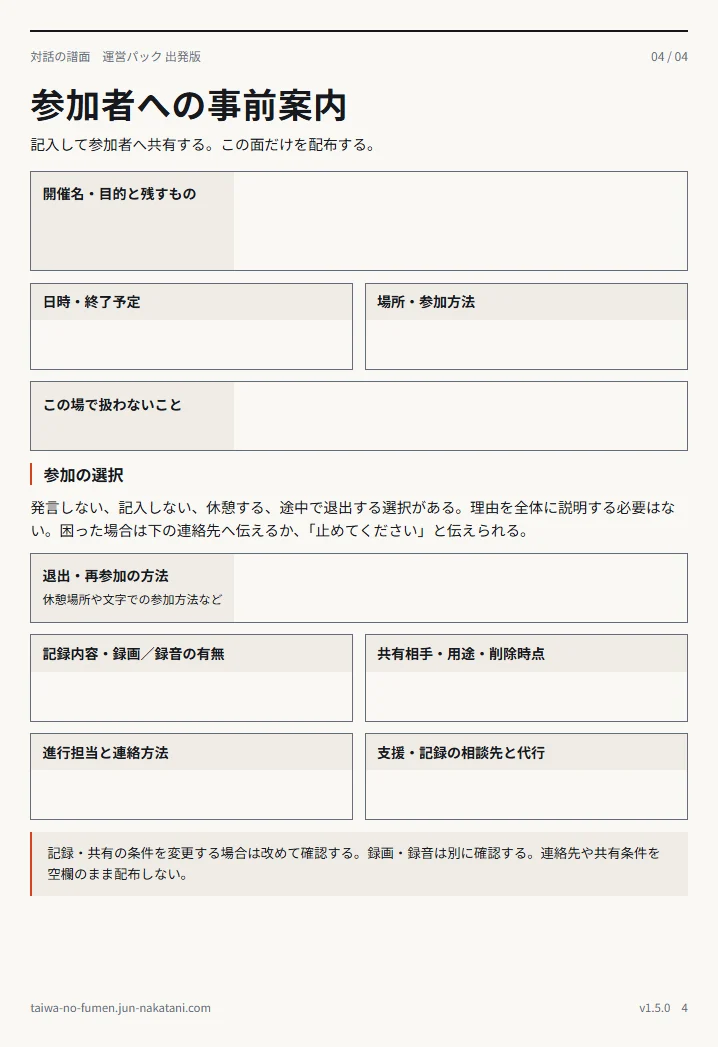
Actual pages of the public free guide and worksheets, in Japanese. Their structure differs from the Excel sheets.
Read all pages in HTML (Japanese)From pre-start checks to participant information
The guide includes a fictional 90-minute worked example, pre-event checks, actions after stopping, confirmation of output receipt, and information to give participants beforehand. Without Excel, you can fill in the HTML fields and print or save as PDF.
HTML input is held only in the current tab. It is not sent or automatically saved. Save after filling it in, because it disappears on reload or when the tab closes.
Set the plan and responsibilities in Excel before the event and print it; no input is needed on the day. The PDF guide has four pages for preparation, facilitation, handover, and participant information. Give participants only the completed information page.
Four sheets from preparation to handover
Preparation
Set the purpose, success conditions, decision process, and recording disclosure scope. Enter names for facilitation, timekeeping, recording, and participant support, adding contact details and substitutes. One person may hold more than one role.
Session runsheet
Planned times are calculated from the start time and each stage's duration. Facilitation and recording names appear in each stage; timekeeping and participant support appear at the top. Overwriting a name at a changeover fixes that stage's assignment, which will no longer update when the preparation fields change.
Follow-up
Separate decided and undecided matters. Record outputs, task owners, recipients, deadlines, and storage locations. Record one change for next time and its reason.
Instructions and sources
Check the six pre-start items, responsibility assignments and changeovers, long text, and printing. Retain attribution, licence, and change notices. Use the separate blank-card supplement for method cards.
Quick start
Copy the Excel workbook
Keep the original and store a local copy named for the event.
Fill in the white input fields
Set the purpose and four responsibilities in Preparation, then adjust timing and changeovers in the runsheet. For the six pre-start items, check the actual conditions, not just a policy option.
Protect output handovers
If delayed, check what can be shortened under the conditions agreed in advance. Do not remove responsibility, deadlines, or storage locations.
Next step
Choose a method for the challenge
Filter 200 methods by time, people, and purpose, and check the movement by switching between the stage displays.
The original Japanese method guides provide the diagram-stage display. English interactive-diagram parity is still under implementation and review; this wording does not claim an accepted English motion or print version.
Find a method Original Japanese method catalogue and diagram displayLanguage and implementation limits
- English learning and preparation screens. Source-specific notices and resource-language limits apply.
- Existing Excel, PDF, downloadable HTML, licence notice, and guide screenshots remain Japanese resources. Their new translation is separate later work, not an added condition for the first English-screen release.
- Learning inputs are ephemeral. No network request, account, progress storage, analytics, form submission, purchase, reservation, or payment is added here.
- Existing illustrations are AI-generated images, not records of actual events.